AI reminder app for Android

Voice reminders, notes, and smart alerts for busy days.

RemindQuick is an Android reminder app for people who need faster voice reminders, contact reminders, relationship follow-ups, repeat reminders, reliable notifications, shared group reminders, secure notes, and AI-assisted planning in one simple productivity app.

Download on Google Play Explore features Currently available for Android only.
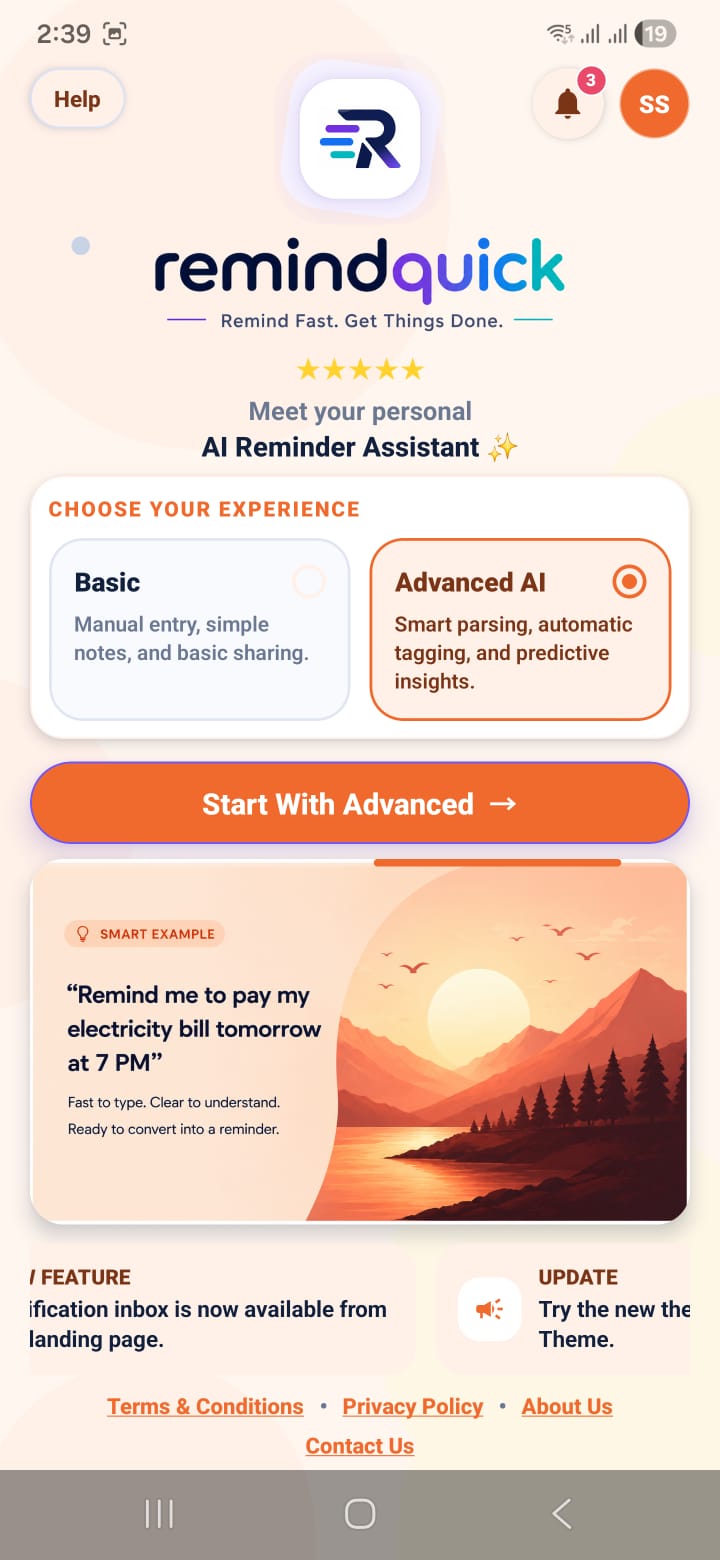
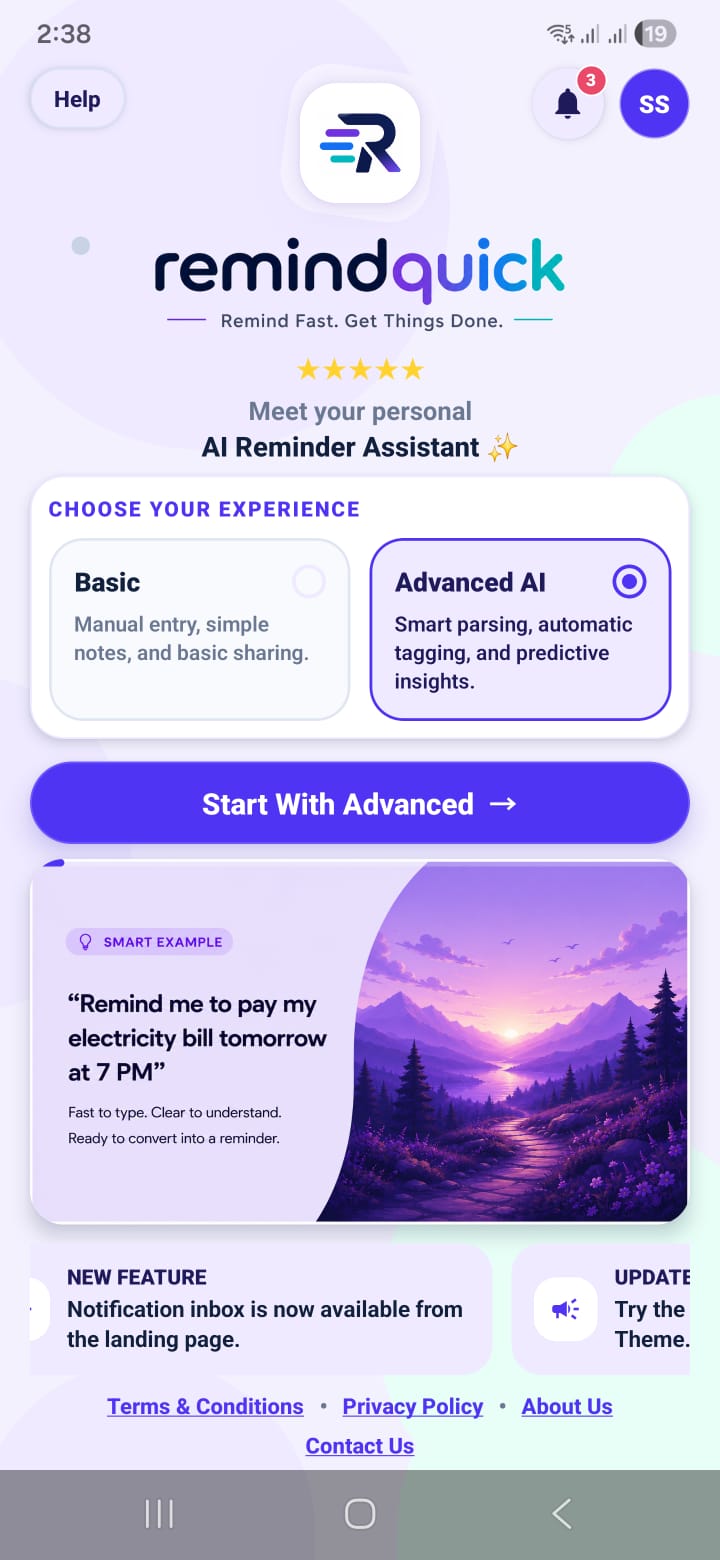
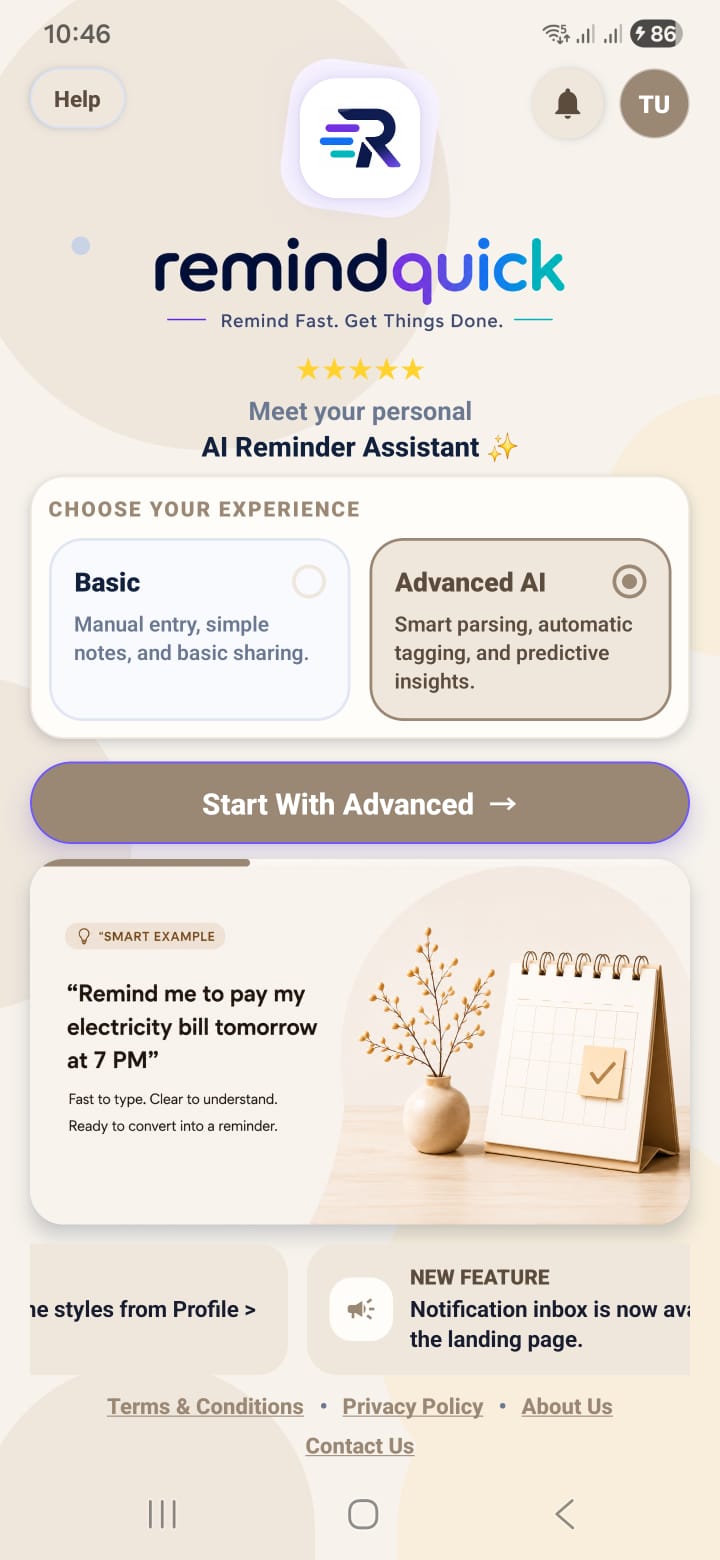
RemindQuick smart reminder screen
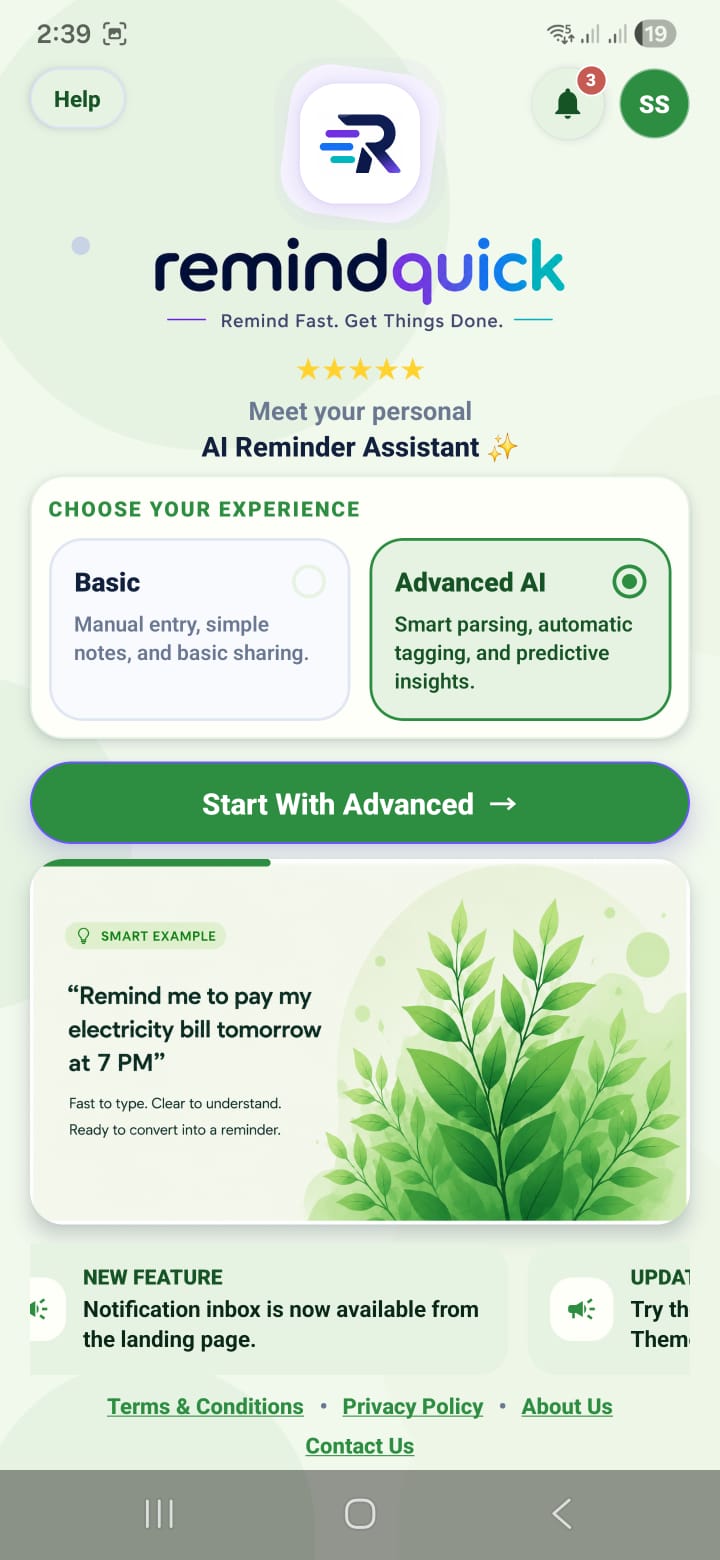
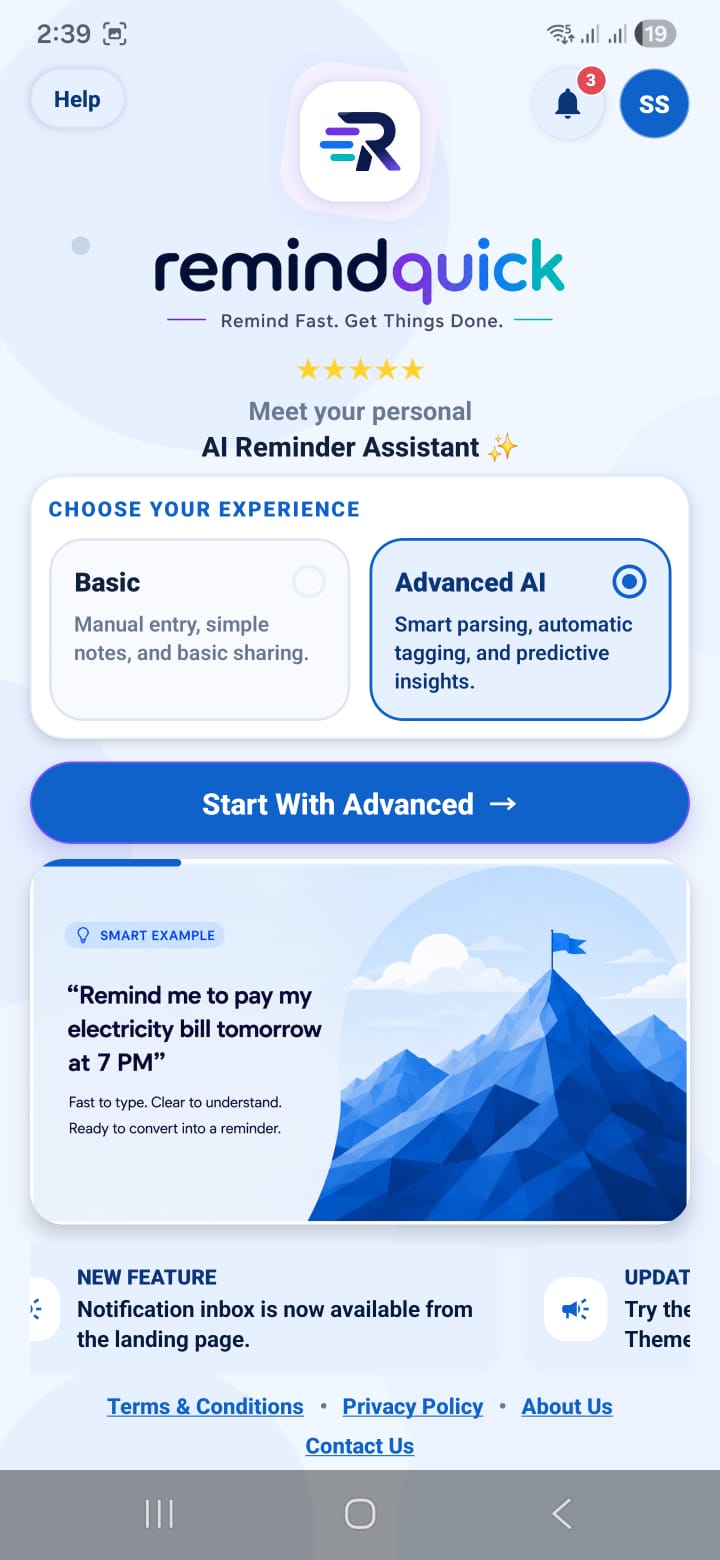
RemindQuick Android app home screen
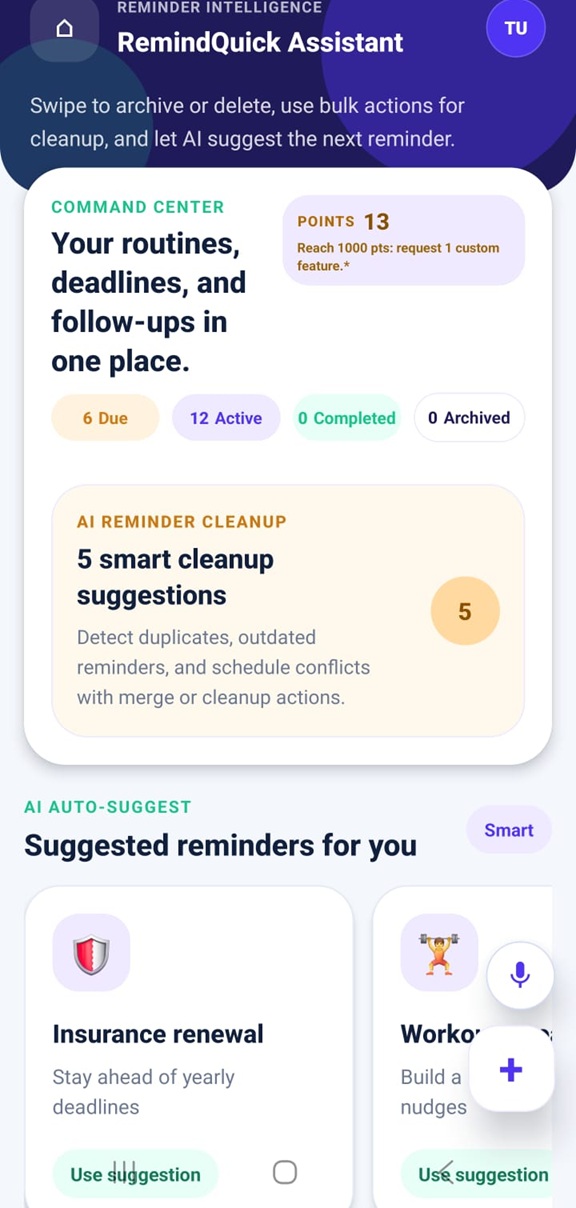
RemindQuick reminder assistant view
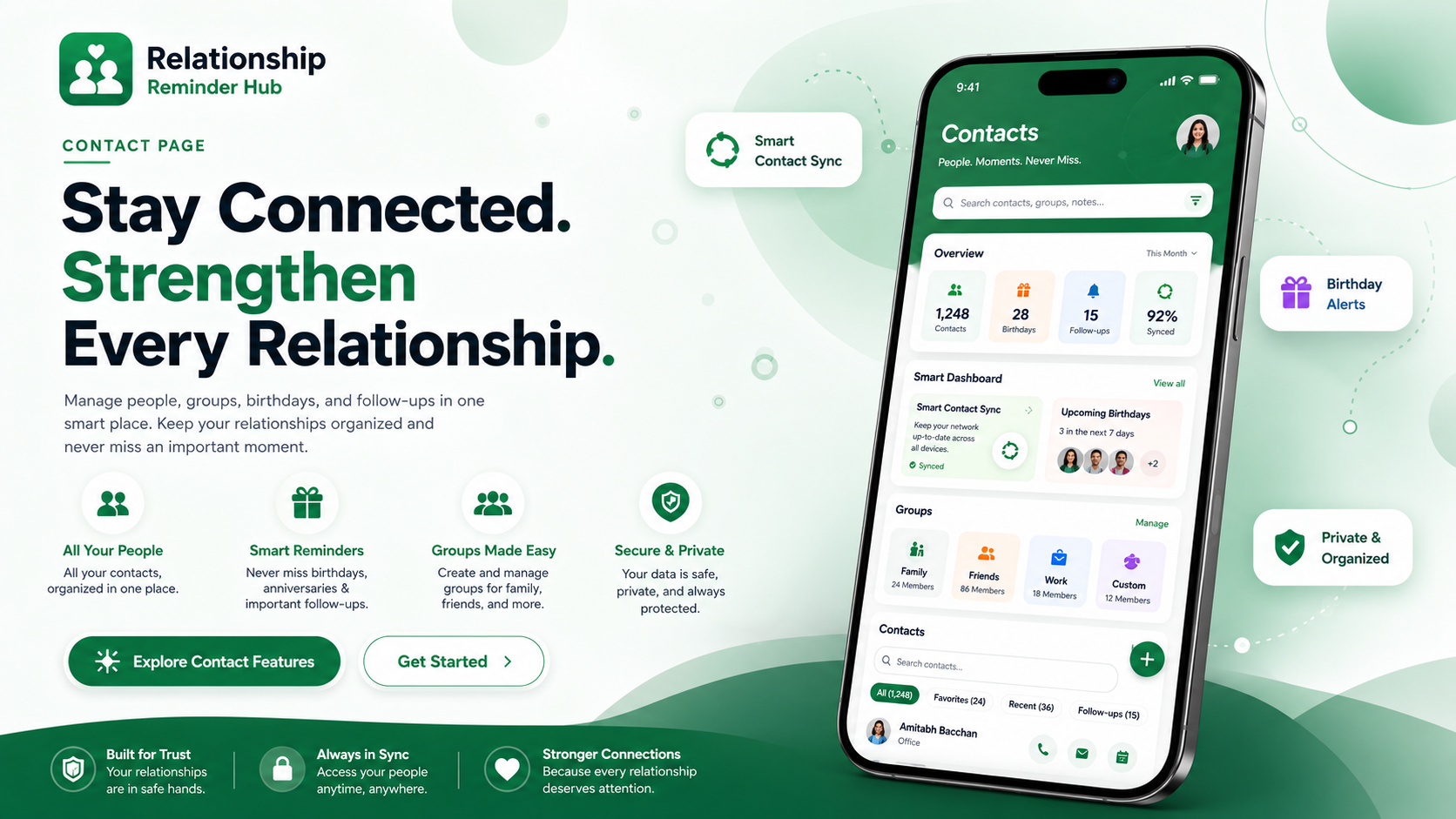
RemindQuick Contact Command Center contact reminder hub for Android
Contact Command Center

Organize people, groups, birthdays, and follow-ups.

The new Contacts page turns RemindQuick into a relationship reminder app for Android. Import phone contacts, enable auto sync, clean duplicate contacts, create contact groups, and keep share-ready emails organized for group reminders.

  1. Import phone contacts after granting contact permission.
  2. Use auto sync so new phone contacts can refresh when the app opens.
  3. Review contact health for duplicates, emails, birthdays, groups, and emergency contacts.
  4. Create groups for family, friends, work, clients, or caregivers.
  5. Plan follow-ups for calls, birthdays, anniversaries, appointments, and important relationships.

This is useful for people searching for a contact reminder app, relationship reminder app, birthday reminder app, follow-up reminder app, client call reminder app, and smart contact manager for Android.

Explore Contact Reminders
A smarter reminder app for daily tasks, routines, and follow-ups.

Built for people who want a voice reminder app, notes app, repeat reminder app, and Android productivity assistant that feels simple, fast, and dependable.

AI

AI voice reminders

Create reminders naturally by speaking or typing. RemindQuick helps turn everyday language into useful reminder times, repeat patterns, and categories.

Repeat reminder schedules

Set daily reminders, weekly reminders, monthly reminders, custom intervals, and multi-time alerts for routines like medicine, bills, calls, and follow-ups.

🔔

Smart reminder notifications

Use reminder notifications, snooze, alarm repeat settings, and triggered reminder history so missed reminders are easier to recover.

Notes and task planning

Capture notes, passwords, plans, policies, account details, shopping lists, and to-do items in one organized workspace on your phone.

Productivity dashboard

See active, due, upcoming, and closed reminders with points, task status, and helpful assistant guidance.

C

Contact reminder hub

Import phone contacts, auto-sync changes, find duplicates, create groups, and plan birthday, anniversary, family, client, and relationship follow-ups.

Shared reminders and groups

Share reminder files, manage group reminders, and keep family tasks, work follow-ups, and personal plans easier to coordinate.

More RemindQuick features for organized Android users.

RemindQuick is more than a basic alarm reminder app. It combines reminder creation, task tracking, notes, group planning, customization, and recovery tools in one Android productivity workspace.

M

Medicine reminders

Create recurring medicine alerts, water reminders, health routines, and habit reminders with flexible repeat schedules.

B

Bill and payment reminders

Track rent, subscriptions, credit card bills, EMIs, recharges, and due dates so important payments are easier to remember.

C

Call and follow-up reminders

Save reminders for client calls, family calls, office follow-ups, appointments, personal check-ins, birthdays, and anniversaries.

S

Snooze and missed reminder recovery

Use snooze, repeat alarms, and reminder history to recover reminders you could not act on immediately.

T

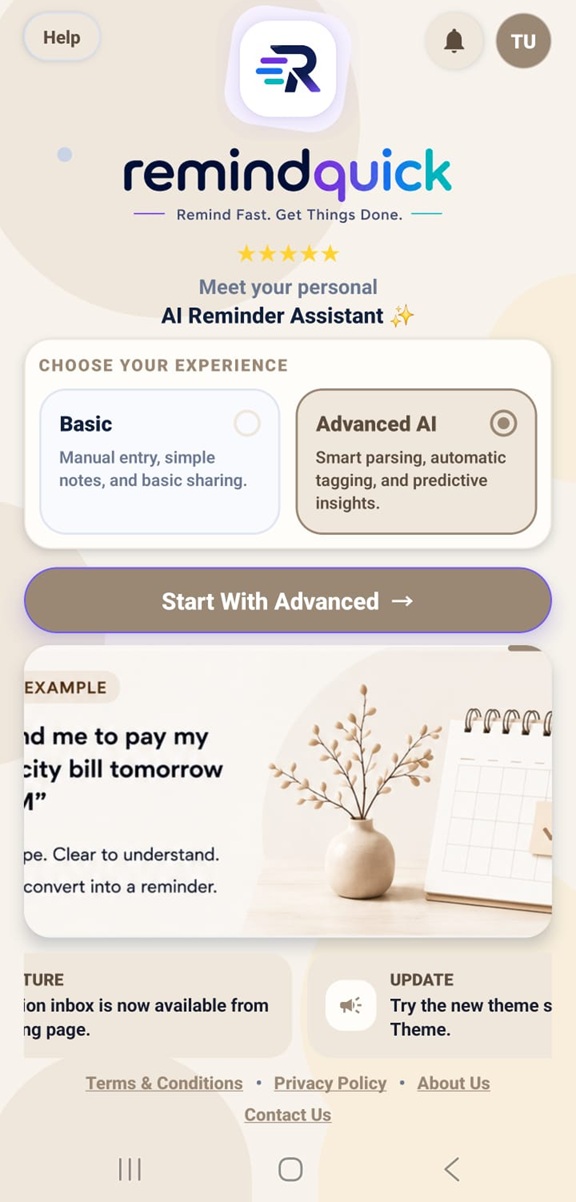
Theme customization

Personalize the app experience with theme changes so your reminder dashboard feels comfortable for daily use.

K

AI key setup

Connect AI features when needed and use assistant-powered reminder creation for faster planning and smarter task capture.

E

Export and share reminders

Share reminder files and organize tasks with other people for home, family, study, and work coordination.

P

Secure notes workspace

Keep Notes, Passwords, Policies, Mini A/c records, and To Do List items stored locally on your mobile and encrypted before saving.

R

Reminder status tracking

View active reminders, due reminders, upcoming reminders, and closed reminders from a focused assistant dashboard.

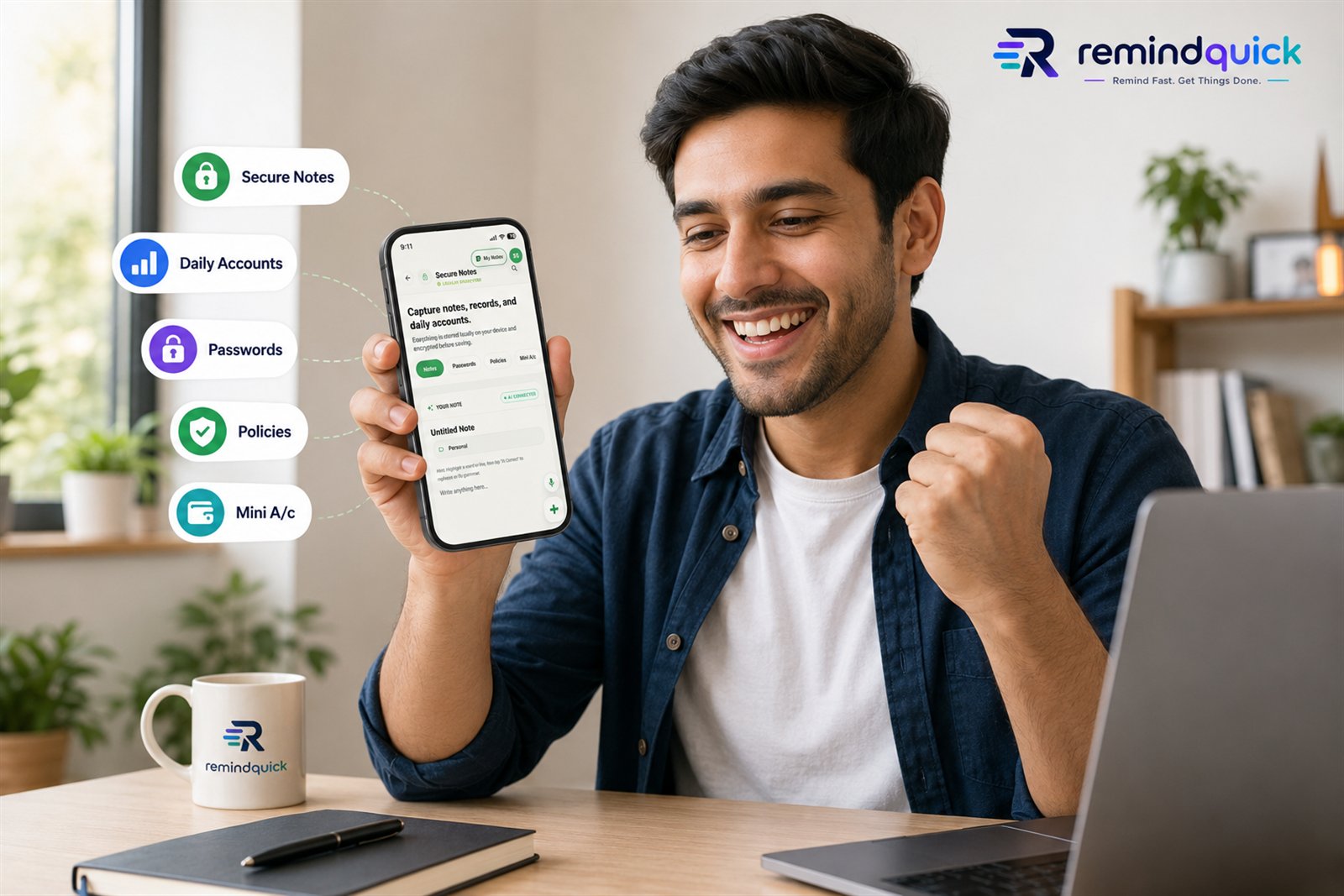
Secure Notes keeps personal information local.

Use RemindQuick for Notes, Passwords, Policies, Mini A/c records, and To Do List items. Your notes information is stored locally on your mobile and encrypted before saving.

Explore Secure Notes
RemindQuick Secure Notes feature for notes, passwords, policies, and mini accounts

Built for the reminders people search for every day.

RemindQuick helps with common Android reminder needs: quick voice capture, reliable alerts, repeat routines, notes, task lists, and follow-up reminders.

  • Daily reminder app for medicine, water, habits, and personal routines
  • Task reminder app for calls, meetings, bills, deadlines, and follow-ups
  • Voice reminder app for quickly saving reminders without typing
  • Repeat reminder app with daily, weekly, monthly, and custom schedules
  • Smart notification app with snooze and reminder history
  • Android productivity app with notes, contacts, groups, and AI-assisted planning
  • Contact reminder app for birthdays, anniversaries, client calls, family follow-ups, and relationship management
  • Smart contact manager for Android with contact sync, duplicate cleanup, email-ready contacts, and group organization
  • Reliable reminder notification app with exact alarms, full-screen alerts, and battery checks
  • Custom AI reminder app with OpenAI-compatible LLM API settings

Use RemindQuick for work, home, study, and personal routines.

A good reminder app should fit real life. RemindQuick supports quick tasks, long-term routines, shared planning, and simple note capture for many everyday situations.

W

Work reminders

Remember meetings, reports, client callbacks, project deadlines, recurring office tasks, and follow-up messages.

H

Home reminders

Set reminders for groceries, repairs, cleaning, family plans, school tasks, and household responsibilities.

G

Group planning

Coordinate shared reminders for family, friends, or teams when tasks need to stay visible to more than one person.

P

Relationship reminders

Use the contact reminder hub for people, groups, birthdays, emergency contacts, duplicate cleanup, and follow-up planning.

N

Notes with reminders

Store supporting details next to your plans, including checklists, policy notes, passwords, ideas, and personal records.

D

Daily routine reminders

Build daily reminders for exercise, medicine, hydration, prayer, reading, learning, calls, and personal habits.

A

AI-assisted planning

Use AI support to create reminders faster, organize tasks, and reduce the effort of typing detailed reminder schedules.

Helpful setup guides for reliable smart reminders.

These guides explain the features people often search for before choosing a reminder app: contact reminders, reliable Android alerts, shared reminder groups, and using your own AI provider.

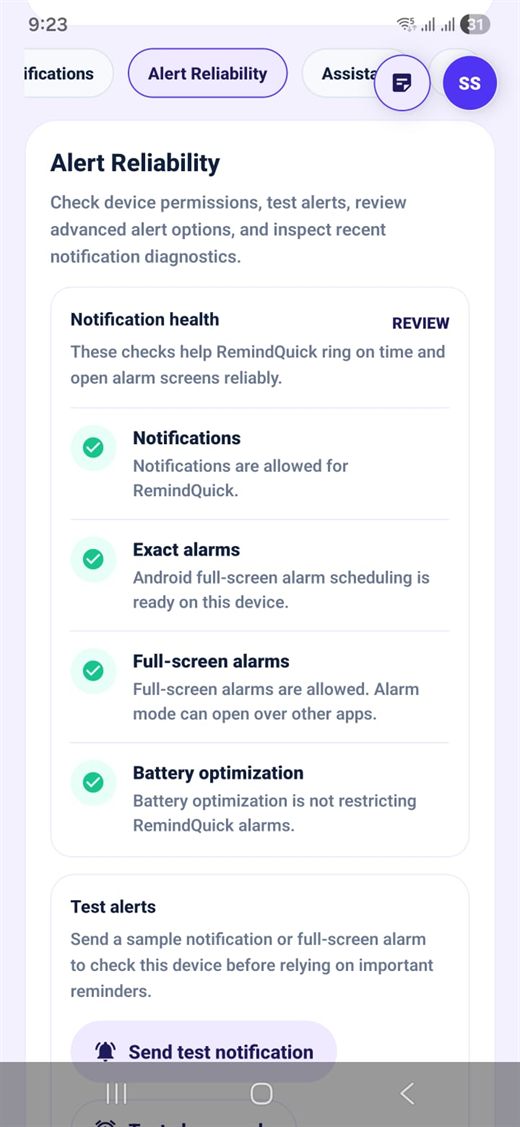
RemindQuick Alert Reliability notification settings screen
Alert Reliability

Why notification settings matter for reminders.

Android can delay or block reminders when notification permission, exact alarms, full-screen alarms, or battery settings are restricted. RemindQuick's Alert Reliability screen helps you review these settings before you depend on an important medicine reminder, bill reminder, meeting alert, or wake-up style alarm.

  1. Allow notifications so RemindQuick can show reminder alerts.
  2. Enable exact alarms so scheduled reminders ring closer to the selected time.
  3. Allow full-screen alarms when you want important alerts to open clearly.
  4. Remove battery restrictions so Android does not stop reminder alarms in the background.
  5. Send a test alert before relying on a critical reminder.

This makes RemindQuick useful as a reliable Android reminder app for medicine reminders, payment reminders, appointment reminders, daily routines, and recurring task alerts.

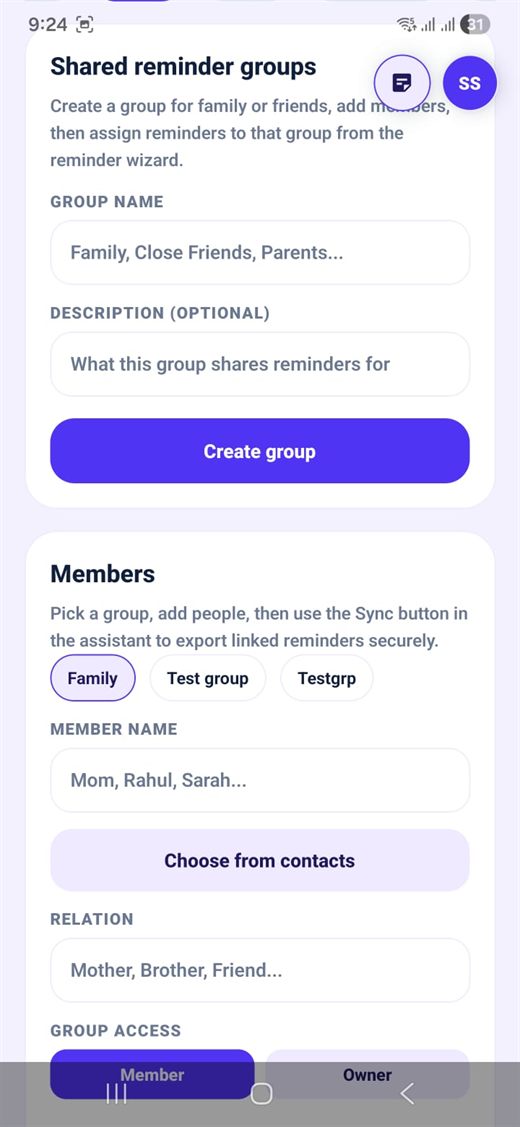
RemindQuick shared reminder groups setup screen
Shared Groups

Create group reminders for family, friends, and teams.

Group reminders help when more than one person needs to remember the same thing. You can create a group for family, parents, close friends, study partners, or a small work team, add members, and assign reminders to that group from the reminder wizard.

  1. Open Shared reminder groups from the app profile or assistant area.
  2. Create a group such as Family, Parents, Home, Study, or Work.
  3. Add members with names, relations, and access type.
  4. Create a reminder and choose the group when the reminder should be shared.
  5. Use Sync in the assistant to export linked reminders securely.
  • Families can coordinate medicine, bills, school reminders, and appointments.
  • Teams can track calls, follow-ups, due dates, and repeated work routines.
  • Caregivers can keep important reminders visible for parents or dependents.
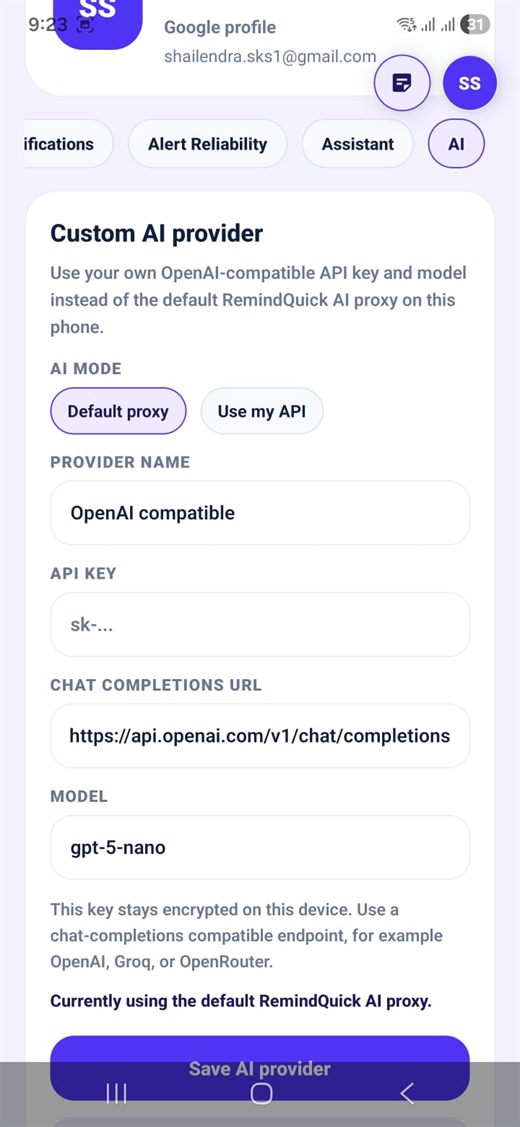
RemindQuick custom AI provider and LLM API settings screen
Custom LLM API

Use your own AI provider inside RemindQuick.

Advanced users can connect their own OpenAI-compatible LLM API instead of using the default RemindQuick AI proxy on the phone. This is useful when you already have an API key, want to choose a specific model, or prefer an endpoint from OpenAI, Groq, OpenRouter, or another chat-completions compatible provider.

  1. Open Profile > AI in the RemindQuick app.
  2. Select Use my API under AI mode.
  3. Enter provider name, API key, chat completions URL, and model name.
  4. Save AI provider and create reminders with AI-assisted parsing.

Your key stays encrypted on the device. Use an OpenAI-compatible chat completions endpoint, then let RemindQuick help parse natural language reminder text, voice reminders, repeat schedules, categories, and notes.

See the Android reminder app in action.

A quick look at the RemindQuick experience: assistant dashboard, voice reminders, contact reminders, My Notes, group reminders, sharing, theme changes, and AI setup.

Get the Android app

Designed for everyday productivity.

From simple task reminders to advanced AI-assisted planning, RemindQuick keeps important things visible without making your reminder app feel heavy.

RemindQuick Android reminder app feature screen RemindQuick notes and task planning screen RemindQuick repeat reminder details screen RemindQuick smart alerts and productivity preview

Frequently asked questions.

What is RemindQuick?

RemindQuick is an AI reminder app for Android that helps you create voice reminders, task reminders, repeat alerts, notes, and smart notifications for everyday productivity.

Can I use RemindQuick as a voice reminder app?

Yes. You can create reminders by voice or text, which makes it useful when you need to save a task, follow-up, bill, call, meeting, or personal reminder quickly.

Does RemindQuick support daily and repeat reminders?

Yes. RemindQuick supports daily, weekly, monthly, custom interval, and multi-time reminders for habits, medicine, bills, work tasks, family reminders, and recurring routines.

Is RemindQuick available for Android?

RemindQuick is currently focused on Android, with reminder notifications, notes, shared reminders, and AI-assisted planning designed for Android users.

Can I use RemindQuick for medicine, bill, and call reminders?

Yes. RemindQuick works well for medicine reminders, bill reminders, payment due dates, call reminders, appointments, subscriptions, and follow-up tasks.

Does RemindQuick include notes, themes, and sharing?

Yes. RemindQuick includes My Notes, theme customization, shared reminders, group reminder support, and reminder file sharing for more organized planning.

Why should I enable notification settings for RemindQuick?

Notification permission, exact alarms, full-screen alarms, and battery settings help RemindQuick ring on time and open important reminder screens reliably on Android.

Can I use my own LLM API or OpenAI-compatible API?

Yes. In Profile > AI, select Use my API, then add your provider name, API key, chat completions URL, and model. Your key stays encrypted on the device.

Can RemindQuick help manage contacts and relationship follow-ups?

Yes. The Contact Command Center helps import phone contacts, auto-sync new contacts, find duplicates, create contact groups, track share-ready emails, and plan birthday, anniversary, client, family, and relationship follow-up reminders.

How do shared reminder groups help?

Shared reminder groups help families, friends, caregivers, and small teams coordinate recurring reminders, bills, appointments, medicine reminders, and follow-ups.

Android only right now

Download the RemindQuick AI reminder app from Google Play.

Start with fast voice reminders, task reminders, repeat alerts, smart notifications, and organized notes for daily productivity.

Open Google Play